Netro Labs · App studio

Independent products, designed and built by James Nettey.

ZediPass

Customer recognition and loyalty for independent businesses. People sign up once and carry one pass; businesses scan it at the counter, reward the visit and bring them back.

Flagship product

ZediPass

Everything between a first visit and a regular

Physical businesses struggle to turn anonymous footfall into customers they can recognise and reach again. Paper cards get lost, sign-up forms slow the queue, and nobody wants a separate app for every shop.

ZediPass gives customers one pass for all of them, and gives each business its own relationship with the people who come back.

  1. Customer app · iPhone and Android

    One pass for every participating business

    Customers create a ZediPass profile once, then show one QR pass wherever ZediPass is used. Stamps, points, rewards and offers from each business stay together in one app.

    1. ZediPass customer app: a personal QR pass greeting a demo customer.
    2. ZediPass customer app: a reward wallet gathering rewards and perks from several brands.
    3. ZediPass customer app: a reward unlocked at a showcase café, ready to activate.

    ZediPass customer app: a personal QR pass greeting a demo customer.

  2. Business app · iPhone, iPad and Android

    Scan, stamp and redeem at the counter

    Staff sign in with a PIN and scan the customer’s pass to enrol them, add a stamp or redeem a reward. It runs on the phone or tablet a business already has, with or without a till.

    1. ZediPass Business: staff sign in to a showcase café with a four-digit PIN.
    2. ZediPass Business: the scanner waiting for a customer’s QR pass.

    ZediPass Business: staff sign in to a showcase café with a four-digit PIN.

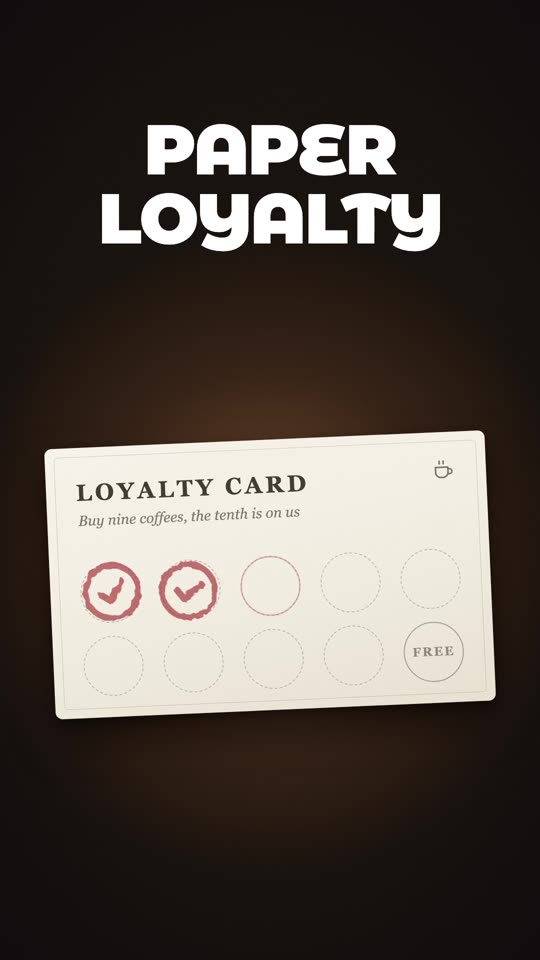
    Product film, silent loop.
  3. Business dashboard · Web

    The business runs its programme here

    Owners set reward milestones, publish offers and perks, manage menus and messages, and see who is coming back, with one workspace across their brands and locations.
    Product film, silent loop. Demo workspace.
  4. Platform · Web and cloud

    One platform underneath

    A multi-tenant backend connects every surface, and zedipass.com is where businesses discover ZediPass, choose a plan and set up online.

    • Customer identity
    • Loyalty engine
    • Rewards, perks and offers
    • Campaigns and notifications
    • Referrals
    • Analytics
    • Multi-brand workspaces
    • Billing
    The public zedipass.com homepage, where businesses discover ZediPass and set up online.
  1. ZediPass customer app: a personal QR pass greeting a demo customer.
  2. ZediPass customer app: a reward wallet gathering rewards and perks from several brands.
  3. ZediPass customer app: a reward unlocked at a showcase café, ready to activate.

ZediPass customer app: a personal QR pass greeting a demo customer.

  1. ZediPass Business: staff sign in to a showcase café with a four-digit PIN.
  2. ZediPass Business: the scanner waiting for a customer’s QR pass.

ZediPass Business: staff sign in to a showcase café with a four-digit PIN.

Product film, silent loop.
Product film, silent loop. Demo workspace.
  • Customer identity
  • Loyalty engine
  • Rewards, perks and offers
  • Campaigns and notifications
  • Referrals
  • Analytics
  • Multi-brand workspaces
  • Billing
The public zedipass.com homepage, where businesses discover ZediPass and set up online.

Product design, iOS, Android, web and backend by James Nettey.

Screens show demo customers and ZediPass showcase businesses. ZediPass is operated by ZEDIPASS LIMITED, UK company 16508367.

Phone lab

Also built at Netro Labs

Smaller products, each with one job. HUZAT is on the App Store; Pew, LumaRelay and BlueBee are in development. Pick one and flip through its real screens. Each keeps a permanent product page, privacy notice and support page.

HUZAT

Available on the App Store

Plan believable, simulated interruptions when you need a reason to step away.

  1. HUZAT: Your exit. On cue. Your social exit buddy.
  2. Start your exit instantly from the Ready screen.
  3. Pick your exit scenario: choose the situation, timing and caller.
  4. Build your exit sequence: messages first, then a simulated call if ignored.
  5. Calls and messages, right on cue: a simulated message and an incoming simulated call.
  6. Leave awkward moments politely: work parties, awkward flirting and boring conversations.
  7. For when your social battery is low.

HUZAT: Your exit. On cue. Your social exit buddy.

Screenshots from the HUZAT App Store listing.

Pew

In development

A calm, local-first journal for noticing nearby public benches.

  1. Pew: Discover a little more every day.
  2. A walk with somewhere to pause: nearby seats, green spaces and quiet corners.
  3. A trail waiting around the corner: follow a trail to explore and rest.
  4. Everything for today’s walk in one place, with the weather before you go.
  5. Pause. Breathe. Notice: a guided pause on the bench.
  6. Every corner of your town counted: track what you have found and what is left.
  7. Collect and earn badges as you explore.
  8. Every bench has a reason to visit.

Pew: Discover a little more every day.

App Store artwork prepared for Pew’s first release. Pew is still in development.

iPhone and iPad

LumaRelay

In development

Control and synchronise compatible smart lighting from your Mac or Android TV.

  1. LumaRelay on Mac: a lighting zone with saved colour themes and eight lights shown in their current colours.
  2. Choose your sync source: screen, audio or microphone.
  3. Audio sync settings: entertainment area, music style, brightness, colour intensity and a live frequency map.
  4. Home: rooms and zones, each with an on/off switch and brightness.

LumaRelay on Mac: a lighting zone with saved colour themes and eight lights shown in their current colours.

Screens from LumaRelay’s development build on macOS.

Mac, with Android TV in development

BlueBee

In development

Hear one shared audio source together, with each person listening through their own device and headphones.

  1. BlueBee: Hear it together. Create a room or join one.
  2. A live BlueBee room with connected listeners, resync and mute.
  3. Join a room with its code or by scanning a QR code.
  4. Scan a room’s QR code, or type the six-character code instead.

BlueBee: Hear it together. Create a room or join one.

Screens from BlueBee’s development build, shown in its web listener.

iPhone, iPad and Android, with web listening

Tooling Plugin for Figma

Netroken

Built to turn months of design-system work into a few working sessions.

Netroken audits a Figma file or library, finds the design decisions hiding in it and turns them into tokens. It brings older design systems up to modern standards and keeps a record of everything it changes.

Why it matters

Design-system work is one of the slowest, most expensive hand-offs in product development.

In large organisations it falls to teams of contract designers and developers, often for months at a time, with new teams joining as the work grows. Most of those hours go on auditing, matching and re-keying values rather than design. When Netroken reaches the market, that work stops being a months-long line item.

  • Design to code, drastically faster

    Developers get reviewed, versioned token changes instead of redlines and spreadsheets, and Figma is checked against the coded system, so hand-offs stop bouncing back and forth.

  • Serious savings for enterprise teams

    Where design systems are staffed with contractors and agencies, every week of manual audit and token work is paid for. Taking even part of that time back is a real saving. Taking most of it back changes what a design system costs to build and run.

  • A system that stays true

    Every change is checked, recorded and reversible, so the system keeps matching the product long after the project team has moved on.

Token Miner reviewing a test file: every repeated value found, grouped and waiting for a decision.
The internal build in Figma Desktop, rebuilding Netroken’s own design system from code and checking it to 100% parity.
Every change is listed before anything happens: variables to create, matches to connect, values left alone.
A checked receipt for a test file: what was created, what was connected, and an undo.

Figma is a trademark of Figma, Inc. Netroken is independent and is not affiliated with or endorsed by Figma.

Next: catching what doesn’t belong, whether that is an off-system colour in a new screen, a brand theme or an AI-generated design, before it ships.

In development In private development, not yet publicly released.
Working on a design system? Ask about early access.
The Netro Labs mark, cast in dark metal on a stone plinth

Netro Labs is James Nettey.

An independent product practice. Everything on this page is designed and built here, from interface to infrastructure.

About Netro Labs

Meeting at Web Summit?

ZediPass is exhibiting in Lisbon in November 2026. Request a ZediPass demo at zedipass.com, or get in touch with Netro Labs about anything else.

Contact Netro Labs