
Available on the App Store · Free
Your exit. On cue.
HUZAT gives you a believable reason to step away. Pick the situation, choose when and who, then tap GO. A simulated message arrives, and if you ignore it, a call follows.
- iPhone
- No account
- Nothing leaves your phone
For the moments you can’t just walk out of.
The date that won’t end
Mum needs you, right on time, and your line is ready: “I’m really sorry, something’s come up and I need to go.”

The meeting that overruns
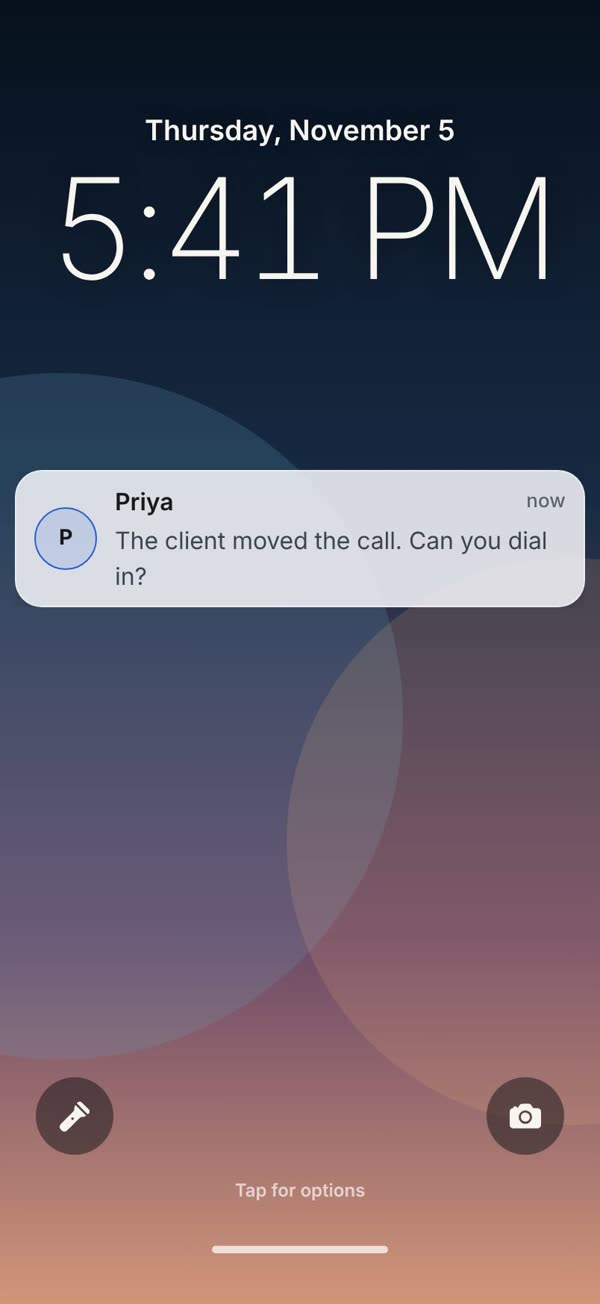
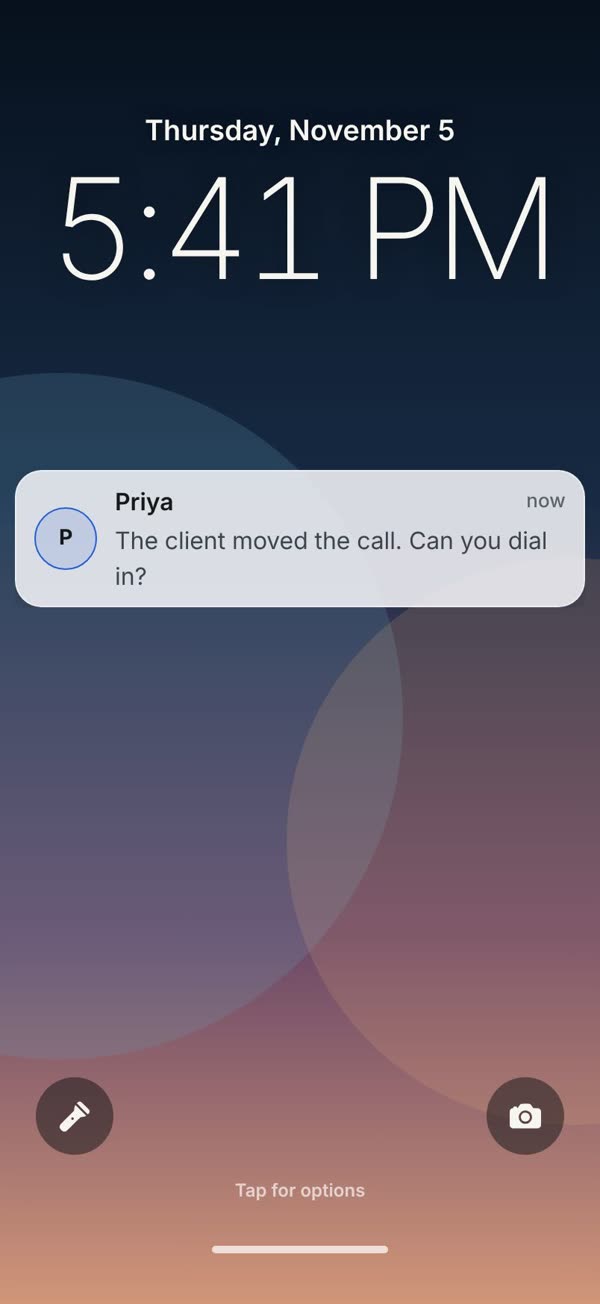
Priya messages that the client moved the call, then rings if you don’t pick it up.

The conversation going nowhere
A polite, believable interruption, so you can leave without making a scene.
- Bad Date
- Awkward Conversation
- Bad Day
- Overrunning Meeting
- Work Emergency
- Family Needs Me
- Delivery Problem
- Babysitter Calling
- Neighbour Needs Help
- Friend in Trouble
- Last Train
- Early Morning Tomorrow
How it works
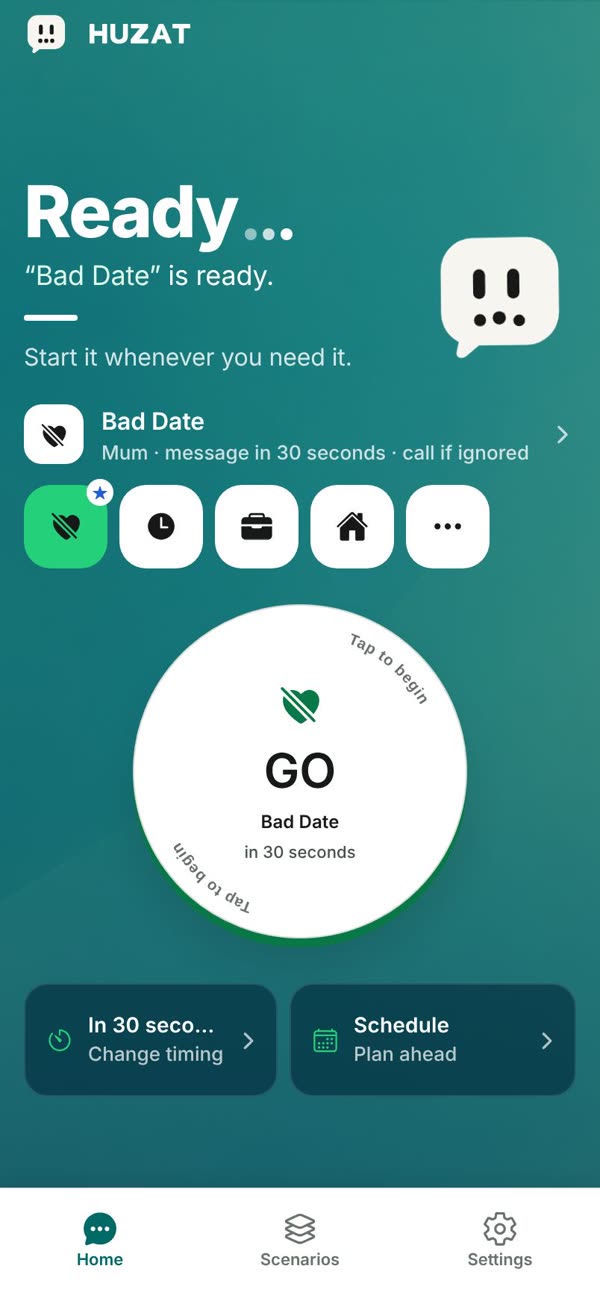
Set it up once. Tap GO when you need it.
1Set it up
Four choices, then it waits on Home.
- Situation. Pick from twelve ready-made exits: Bad Date, Overrunning Meeting, Family Needs Me, Last Train and more.
- Timing. Right now, or after 30 seconds, 1 minute, 90 seconds, 2 minutes or 5 minutes. Or schedule a date and time.
- Caller. Mum (Family), Alex (Partner), Priya (Manager), Building Reception (Building), Delivery Driver (Delivery).
- Format. Notification: a simulated app notification; Text message: a simulated SMS-style alert; Phone call: a simulated incoming HUZAT call; Full sequence: messages first, then a call if you ignore them.
Saving makes it your default. Nothing starts until you tap GO.
2Tap GO
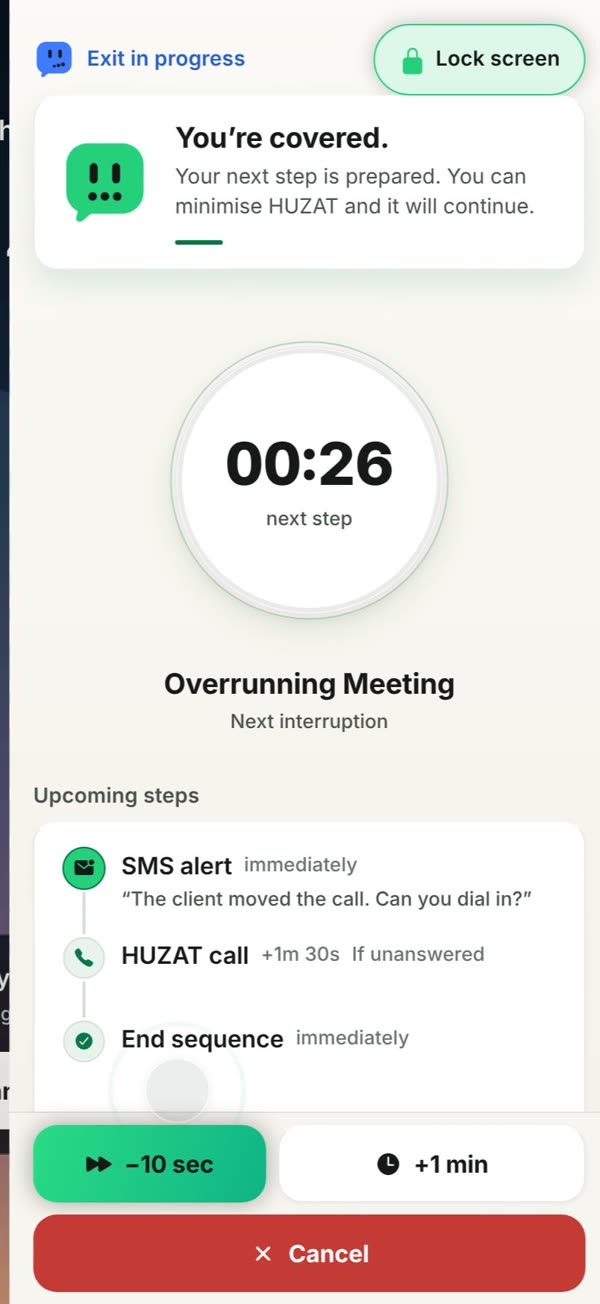
HUZAT covers the screen and waits.
- A three-second countdown, with Lock now if you want it sooner.
- A simulated lock screen covers HUZAT while it waits. It isn’t your real lock screen.
- The message arrives as a text-style notification from your caller.
- Ignore it and the call follows, full screen, with a ringtone and vibration. Answer and play along.
3Speed it up
Need out sooner? Take time off the wait.
- Tap the cover, then Manage to see the timer and what comes next.
- −10 sec takes ten seconds off each time you tap it.
- Under ten seconds it becomes Skip to next, which moves straight to the next step.
- +1 min gives you longer. Cancel stops the exit.
4Stand it down
Open the message, and that’s it.
- Read the message and tap a reply. Replies are simulated; nothing is sent.
- Opening the message counts as handled, so no call follows.
- HUZAT shows Handled, and the exit is saved to your on-device history.
Films use real screens from HUZAT 1.0.1, recorded with demo choices. On iPhone, the call speaks aloud unless you turn on text-only call mode, which the films show.
The whole thing in 45 seconds.
Features
Everything you need to step away, and nothing you don’t.
Ready-made exits
Twelve situations with believable lines, callers and timing already set.
Your own exits
Create and edit scenarios and caller personas, with timing, recurrence and ringtones.
Schedule ahead
Plan an exit for later with a quick delay or an exact date and time.
Silent calls
Captions, and a text-only call mode that shows the caller’s lines on screen.
Widget
Start your default exit from the HUZAT widget.
Private by design
No account or cloud profile. Scenarios, schedules and history stay on your iPhone.
From the App Store
Flip through HUZAT
Screenshots from the HUZAT App Store listing.


HUZAT: Your exit. On cue. Your social exit buddy.
HUZAT is not an emergency service.
HUZAT is a planning and simulation utility. It is not a personal alarm, an emergency service or a substitute for contacting emergency services when immediate help is needed. If you or someone else may be in immediate danger, contact the emergency services where you are.
Questions
Does HUZAT make a real call or send a real text?
No. Every message, notification and call is a simulation on your own iPhone. HUZAT never places a call, sends a message or contacts anyone.
How do I make it happen sooner?
While an exit is running, tap the cover, then Manage. −10 sec takes ten seconds off the wait each time you tap it. Under ten seconds it becomes Skip to next, which moves straight to the next step. +1 min gives you longer instead, and Cancel stops the exit.
What happens if I ignore the message?
With a full sequence, the call follows if the message goes unanswered. Open the message instead and HUZAT treats it as handled, so no call follows.
Do I need to allow notifications?
Only if you want interruptions to reach you after you leave HUZAT. Without them, keep HUZAT open and everything still appears in the app. Focus, mute and notification settings can delay what the system shows.
Can I make my own exits?
Yes. Create and edit scenarios, set their timing, caller and ringtone, and keep callers as reusable personas you can use across every exit.
Can it call without speaking out loud?
Yes. Text-only call mode turns an answered call into a silent script on screen, so you can play along without any audio.
How much does it cost, and is there an account?
HUZAT 1.0 is free, with no subscriptions, in-app purchases or account. Scenarios, schedules, settings and history stay on your iPhone.
Is there an Android version?
Not yet. Version 1.0 is for iPhone. Android is planned for a later release.

Your exit is ready when you are.
Free for iPhone. No account, no purchases.

Product information
- Status
- Available on the App Store
- Platform
- iPhone · iOS 15.1 or later
- Pricing
- Free. Version 1.0 has no subscriptions, in-app purchases or paid unlocks.
- Last reviewed
- 27 September 2026
Interfaces are described generically. No affiliation with third-party communication, calendar, email or retail services is claimed. HUZAT is designed and built by Netro Labs.